
VETS' Apartments
- Published February 3, 2026
This section was written by Wenweia
Visiting the VETS Housing Island
Finding a balloon
To get to housing islands, simply look for a rainbow coloured hot air balloon!
Most major towns on the server have one; you can also use the wynntils map to find them!


Using a balloon
To open the housing UI, left click anywhere on the balloon. Recent versions have made hitboxes difficult to interact with, so you may need to walk around the balloon hitting it until it activates.
Once the GUI opens, if you are a member of VETS, click the blue apartment icon on the left.
If you are a visitor, click the compass (“Visit Islands”), use the hopper to filter to “most upvoted (Guilds)”, and look for Returners [VETS].


Claiming a room
Moving rooms
Once you have been assigned a room, there are two situations wherein you can move:
- Rare building returns wherein free picks are awarded
- If you can convince someone to swap apartments with you.
Building your room
Housing editor
To start building, find your room and do
/housing edit.
The housing editor will add an ender chest to your hotbar; clicking this chest, then clicking the chest icon at the bottom of the Housing Bank UI will allow you to switch to the island storage menu.
Feel free to use any blocks found therein; you can also buy new blocks for profesion materials by using the housing master NPC located directly east of the rainbow balloon on the island.
Housing Rules
NPC Limits
Unfortunately, Wynn limits the number of NPCs that can physically be placed on this island; given the number of apartments we have, we do not have enough NPCs for everyone. Note that paintings do not count as NPCs and are therefore unlimited.
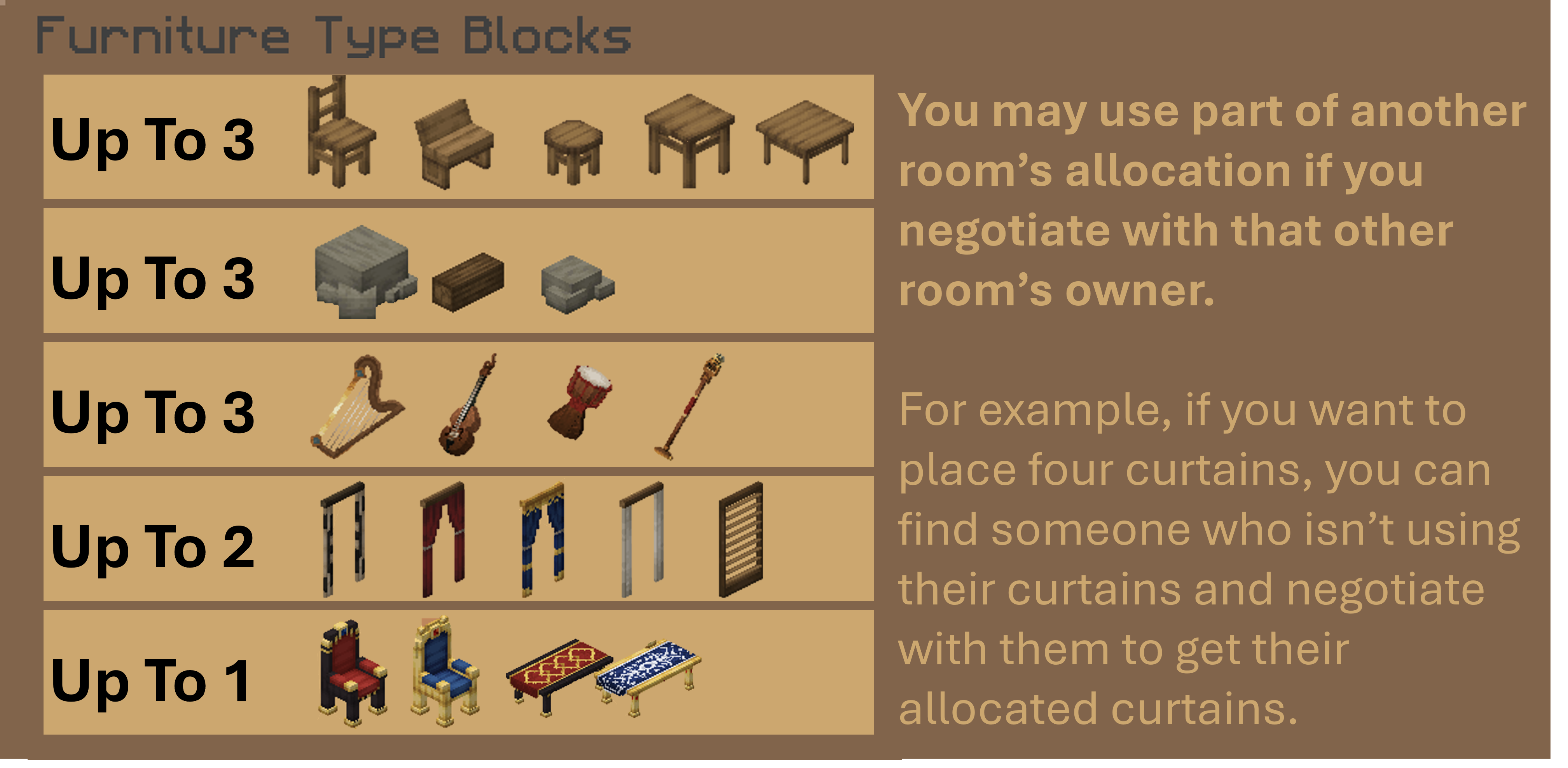
Furniture NPCs
You may use furniture NPCs, but please note that they are rationed as follows:
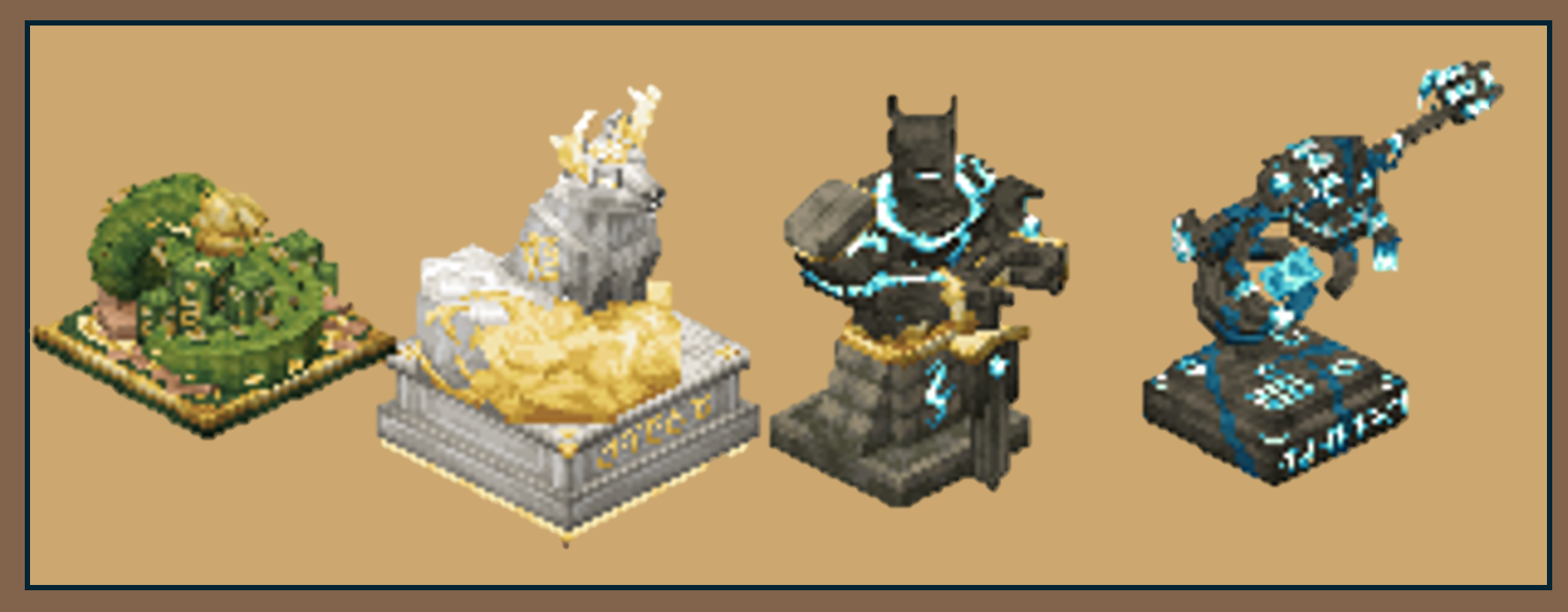
Graid NPCs
There is no limit to graid NPCs, but note that they consume runs when placed. Please only place these if you have significantly contributed the 50 graids they consume.
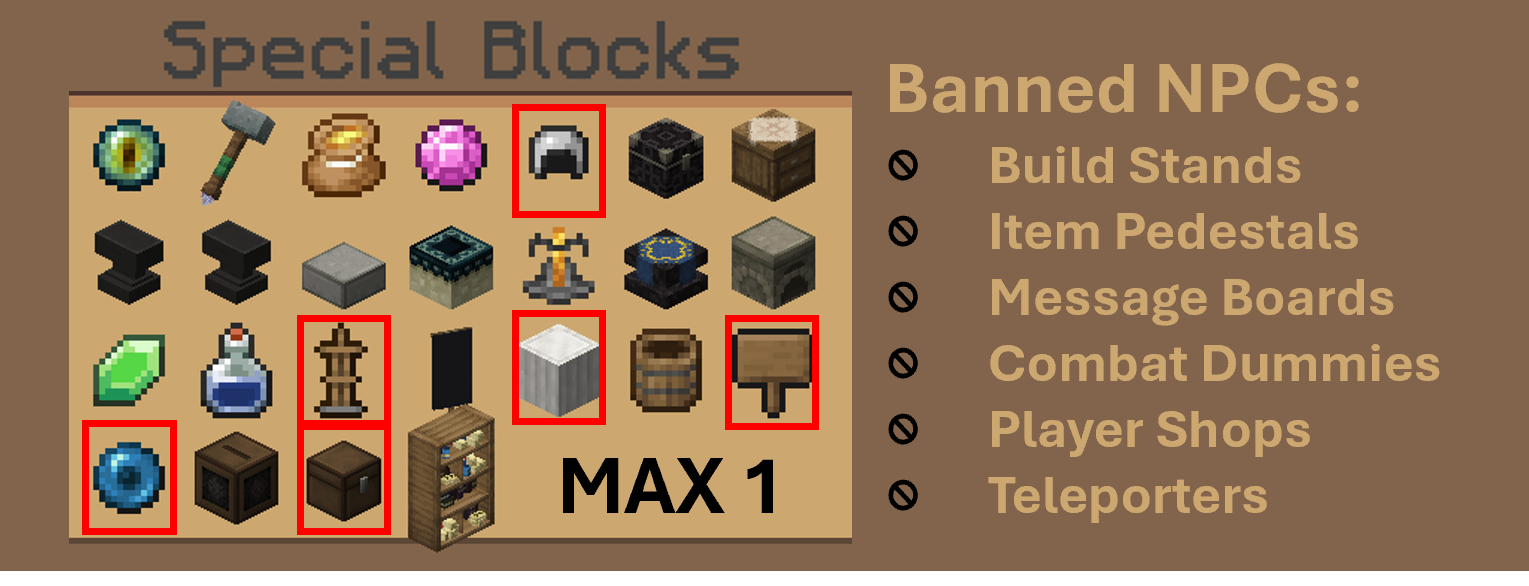
Utility NPCs
Utility NPCs are limited to a maximum of ONE per room for logistical reasons.
This can not include certain NPCs banned due to those same logistics constraints.
Breaking Walls
Joining Rooms
If you get your neighbour’s permission, you can join your rooms.
When this happens, you can tear down the wall in the middle to combine your rooms; your housing furniture limits will be shared across the two rooms.
Breaking Rooms
You may break/change any block IF it is only visible in your room!
If your neighbour changes your walls, it can’t come as a surprise!
Do not make changes visible in your neighbour’s room unless you get permission from that neighbour! Ceilings/floors are usually safe to replace; interior wall changes usually need to be cleared with your neighbours.
Breaking Hallways
Do not visibly change the hallway unless you get permission from a chief
If every room’s outer wall is a different colour, the hallway becomes incredibly chaotic incredibly quickly.
We frequently make limited exemptions to this, but there are still practical limitations.
Breaking Out
Do not break out of the building unless you get permission from the lead chief!
If every room modifies the exterior, the exterior quickly looses its cohesion. It also leads to unequal oppertunities.
Some rooms have easier access to the exterior than others; in the spirit of ensuring that everyone has a reasonably equal oppertunity with their apartment, we generally do not allow exterior access to be leveraged. This rule is rarely subject to exceptions.